Showing posts with label news update. Show all posts

Sunday, 6 November 2011

Dennis Ritchie Is No More

with 1 comments

Hey guyz ,how you doing. well today is the saddest day for me even the saddest day for all the guyz related to technical field or who is aware of the greatest inventions acting as base for todays IT toys like iphones computers ,laptop etc as Mr.Dennis Ritichie is no more.But nobody is highlighting him and his inventions ,this has raised some questions in my mind i hope in yours also.

Few days ago Steve Jobs passed away and that was also saddest mooment for us and media also highlights his inventions and contributions towards the IT sector,even i was a great fan of him.But on the other hand Dennis Ritchie who has provided the base or we can say that due to his inventions only we are working our computers so easily unless till now we have to work with binary numbers ,is not getting any importance in media ,newspapers etc.
Without Steve Jobs (February 24, 1955 – October 5, 2011) we would have:
No iProducts
No over expensive laptops
Without Dennis Ritchie (September 9, 1941 – October 12, 2011) we would have:
No Windows
No Unix
No C
No Programs
A large setback in computing
No Generic-text Languages.
We would all read in Binary..
They died in the same year and the same month but it seems only few notice the death of Dennis Ritchie compared to Steve Jobs.
It won’t cost you anything to press the share button so spread it ! :)
A GRAND SALUTE TO HIM___:)__:)__:)
read more "Dennis Ritchie Is No More"

Friday, 1 April 2011

The Funniest April Fools’ Jokes

with 0 comments
In Gmail, you no longer have to use obsolete technology such as a mouse and a keyboard to write, compose, or reply to emails: you can do all of those simply by moving your body.
Of course, even the smile of Google’s Paul McDonald as he utters the announcement of the “feature” gives away that it’s really an April Fools’ joke, but it’s hilarious nevertheless. Check out the desperate-looking presenter as he twists his body trying to compose and send an email without ever touching a keyboard in the video below.
YouTube, on the other hand, has decided to show us the top viral videos of 1911.
LinkedIn has an elaborate and fun joke this year. Log into the site, then click on Contacts – Add Connections and choose “People You May Know.” You’ll find out that the list is far more interesting than usual, featuring such celebrities as Robin Hood and Albert Einstein!
he Pirate Bay, on the other hand, claims it has bid for eBay on eBay and won! Well, we’ve seen weirder auctions on the site…
ThinkGeek has a great one this year, noticed by our reader Thomas Bollinger: It’s selling an Apple Store Playset. Now you too can have a miniature Apple Store in your living room, and if you’re a true fan, you’ll definitely want to extend it with the optional Line Pack.
What are your favorite April Fools’ jokes this year? Please, share them in the comments!
last but not least most interesting one even you can share it with your friends o Facebook.
Saif n Kareena in a telephonic conversation (tapped in a hotel)
HOW COULD THIS GET PUBLICIZED??? JEEZ GOD SAVE THEM!!!

Neway, enjoy it


check out here
read more "The Funniest April Fools’ Jokes"

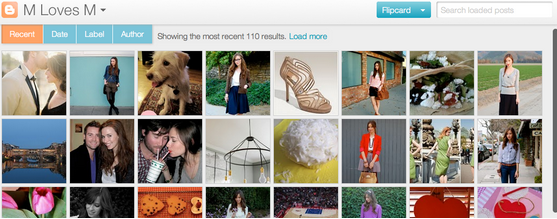
Blogger introduce Different views to present your content

with 0 comments

Blogger now offers you the ability to present your content in several new and exciting ways.

These dynamic views will work on your blog if all of the following are true:


  • Your blog is public. Your readers don’t need to sign in to view your blog.


  • Your blog has feeds fully enabled. In the Settings | Site feed tab, you have enabled either Full or Jump Break for your Post Feed.


  • You have not disabled dynamic views. In the Setting | Formatting tab, the option for Enable Dynamic Views is set to Yes.


  • If any of the above conditions are not true, users who attempt to access dynamic views for your blog will instead be taken to a landing page and redirected to your original blog in a few seconds.
    If all of the above conditions are true, your readers can access the dynamic views for your blog by simply appending /view to the URL. 
    for ex check out the different views of technowit

    1. sidebar
    2. flipcard
    3. mosaic
    4. snapshot
    5. timeslide
    check out this video tutorial

    read more "Blogger introduce Different views to present your content"

    Wednesday, 23 March 2011

    orkut introduce like feature

    with 1 comments


    The Orkut blog just announced that they have added a new “like” button in Orkut that will help you quickly react to your friends’ stories through smileys.
    Unlike Facebook where pressing the Like button mostly means that you have really liked the story, Orkut’s implementation of the Like feature is much more complex (and ugly) offering users a whole range of emotions.
    read more "orkut introduce like feature"

    Monday, 21 March 2011

    What’s New With Blogger

    with 0 comments

    blogger
    Earlier in 2010 Blogger has added to many new features like new Template designer ( enables to create templates without any knowledge of HTML/CSS ), different fonts where added, stats option,comments filtering etc.

    And now in 2011 blogger has previewed some of the features on http://buzz.blogger.com/that will be launched. Some of  these features which blogger has allowed its users to sneak peak are:-
    1. New look of dashboard – See the screenshot of new blogger dashboard
    [Open in new window to see a large view]
    2. New post editor -
     
    [Open in new window to see a large view]
    See this video to have a better idea

    read more "What’s New With Blogger"

    Thursday, 17 March 2011

    Firefox 4 Final Release Date Confirmed – 22nd March

    with 0 comments

    A week after Firefox 4 RC1 was released, the news has come out that the final version of Mozilla Firefox 4 is slated for release on March 22. If the developers do not encounter any significant bugs, this release schedule will hold true.
    However, if a significant issue arises, this release date will be moved back and Release Candidate 2 (RC2) version will be released.
    According to Mozilla’s Damon Sicore,
    Firefox 4 RC1 has received a very warm welcome; it’s time to make a decision to ship.  As of now, there are no known issues that would stop us from shipping RC1 as final.
    March 22nd is the day we would ship.
    Source : Firefox 4
    read more "Firefox 4 Final Release Date Confirmed – 22nd March"

    Saturday, 12 February 2011

    Upgrade Facebook fanpage

    with 0 comments
    when i checked my Facebook fan page and at the top of the fan page i found an interesting information regarding
    UPGRADE FOR PAGES. 
    so i get update regarding new feature of Facebook
    so guys if you are also using Facebook pages and wanna know what new changes Facebook bring then check out here before testing.

    so here i am going to images of new Facebook fan pages


    like fb new profile also bring images section above wall post
    navigation on the left side


    also keep focus on wall post
    as in my previous post tell you about use facebook fan page 
    some thigh about setting feature

    i think there is no need to explain all about Facebook new fan pages because i think these images are sufficient and images speak more than word . so i hope u like my this article and also must share it with ur frds too..

    and i bring changes in  fan page money so check out here

    ALSO JOIN MY FACEBOOK FAN PAGE


    read more "Upgrade Facebook fanpage"

    Tuesday, 8 February 2011

    15 Funny Messages for valentine

    with 0 comments
    Hello guys we celebrate valentine from so many years and if you want to know history behind valentine check out here


    read more "15 Funny Messages for valentine"

    Sunday, 6 February 2011

    Happy Birthday Facebook

    with 0 comments
    From founder Mark Zuckerberg’s dorm room at Harvard to movie theaters across the US to the cover of TIME magazine to the fingertips of protestors in Cairo, Facebook has probably had more influence over our day to day lives than any other startup this decade.


     To celebrate its seven years of incredible growth, the company has put up a custom candle graphic up on its Facebook wall, with the message, “To the 1.5 million of you who share our birthday today – Happy Birthday!” The image has received over 8,000 comments and 48,558 ”Likes” thus far.

    According to reports the company is nearing a 600 million user milestone, and that “1.5 million of you who share …” statement is conspicuously an order of magnitude less than if applied to the total world population (6.9 billion), so it must somehow relate to the Facebook population itself. If you assume that birthdays are evenly distributed, the 1.5 million number times the 365 days in a year would mean that Facebook has around 548 million users. But birthdays are not evenly distributed, and February tends to be a below average month in terms of birth distribution.

    Of course 548 million is an underestimate, as it’s also possible that the 1.5 million here is just the number of users who have chosen to specify the specific February 4th birthday to Facebook, and the unspecifieds don’t get counted. I’ve emailed almost everyone at Facebook trying to get the actual methodology and received this response …

    “As we turn seven, we’d like to thank everyone who uses Facebook in unique ways around the world, ways in which we never could’ve imagined, and for continuing to inspire us to provide a service that makes it easy for people to connect with the things and people they care about. We also wish the more than 1.5 million people who share our birthday, February 4, a very happy birthday.”
    Guess we’ll have to wait until someone fesses up. In the meantime: Most recently the company was in the spotlight for plans to make Facebook Credits the primary form of in-game currency by July and also for being a tool facilitating communication between anti-Mubarak protestors in Egypt. Facebook is valued at over $50 billion dollars, or priceless.
    read more "Happy Birthday Facebook"

    Sunday, 30 January 2011

    Upcoming changes to PayPal User Agreement for India

    with 0 comments
    Two days ago on jan 28th i received  email from paypal team which  shows amendments in agreement for Indian users.Its been a while before when PayPal suspended there operations in India temporarily. And know again PayPal has brought a bad news to the Indian users. PayPal now trying to become a Law following organization is trying to follow the guidelines of Reserve Bank of India.
    PayPal on RBI guidelines has added certain restrictions regarding fund management in PayPal which are:-
    1. Any balance in and all future payments into your PayPal account may not be used to buy goods or services and must be transferred to your bank account in India within 7 days from the receipt of confirmation from the buyer in respect of the goods or services; and
    2. Export-related payments for goods and services into your PayPal account may not exceed US$500 per transaction.
    PayPal has taken all these steps to comply with the RBI guidelines so we can’t really blame them but this is real bad news for their customers in India.
    for more info visit here

    read more "Upcoming changes to PayPal User Agreement for India"

    Thursday, 27 January 2011

    Your Facebook Friends as CAPTCHAs

    with 0 comments
    Web applications often use CAPTCHAs to ensure that real human beings and not bots are using the system. These CAPTCHAs are mostly a combination of words that are distorted enough so that only human eyes can read and solve them.
    Facebook is however taking a more social approach to CATCHA solving.

    Traditional CAPTCHAs are often hard to solve and therefore Facebook is experimenting with social authentication where you don’t have to recognize letters but images - they’ll show you a few pictures of your friends and ask you to name the person in those photos.


    ALSO SEE: NEW FACEBOOK PROFILE LAYOUT HACK
    read more "Your Facebook Friends as CAPTCHAs"

    Tuesday, 25 January 2011

    The History Of Social Networking

    with 0 comments
    Social media, the media for social interaction, which has been ruling the entire Internet has a long history and a quite interesting one too. What started from Email, now ended in Facebook empire. Now this infographic gives us a detailed analysis of “The History Of Social Networking”. This Infographic is also shared by OnlineSchools.org. This one gives us some of the amazing facts about Social Networking along with the years.
    Earlier we shared one of their Infographics — craze of facebook. Do tell us which system inspired you and which will last long enough in the comments below.

    Via: Online Schools
    ALSO SEE:FACEBOOK NEWSPAPER FOR YOU
    read more "The History Of Social Networking"

    Thursday, 30 December 2010

    Change Blogger Blog Fonts

    with 1 comments
    Bloggerindraft always bring lot of new features  such as create mobile template and  Feed control feature now again for the better blogging once again Bloggerindraft come with new idea to provide a more fonts . blogger has added an another amazing feature for blogger usres called -Web Fonts, Now you can easily display different font types for your blog title, post title, post content, post tabs, post text and many more...
    Now Change Blogger Blog Fonts
    In fact, there are now 40 new fonts on Blogger in Draft for you to choose from.

    Steps to Change Blogger Font Type


    1) Log in to your blogger account with this link - blogger in draft.

    2) Navigate to Design >> Template Designer.

    3) Simply go into the Advanced tab of the Blogger Template Designer,

    Web Fonts for Blogger

    4) Select the type of text you’d like to change (Post Title, Page Text, etc.) and pick from a number of exciting, new fonts

    such as Reenie Beanie or Neucha (Cyrillic) or GFS Didot (Greek) or even Hanuman (Khmer).

    - You will be spoilt with choice! For the full list, please take a look at the Web Fonts page.

    read more "Change Blogger Blog Fonts"

    Friday, 10 December 2010

    New feed control feature in blogger

    with 0 comments
    ddgs
    This is a really cool feature that blogger launched yesterday. This allows you to control the length of the feed post. Now you can change the post length of any feed post just by using a simple feature that blogger earlier launched called “JUMP BREAKS”.

    untitled
    This “Until Jump Break” will hide the feed post to that point where you cut off the post on the homepage by using the Jump break option from the post editor .
    If you have email delivery option enabled for your blog then by using this option you can deliver only that portion of the post which you want to be delivered.If readers want to see the full post, they can click the “read more” link and they’ll be directed to your blog. This means you have full control over your feed.
    read more "New feed control feature in blogger"

    Tuesday, 7 December 2010

    Facebook's Profile Redesign

    with 1 comments
    Facebook the world no 2 website now bring some thigh new and interesting. Facebook's new take on the profile page allows you to personalize and highlight the important parts of your life, while still maintaining Facebook's clean, simplified look. The tabs at the top of each profile page are gone, and have been replaced with links on the left side of the page.Simply click on Facebook’s announcement to activate yours and check out all the new features, including revamped personal info, more prominent pictures, top interests showcased as images, more descriptive relationships and more.
    Check out Facebook’s video and our walkthrough below:


    The New Profile

    If you haven't got the new Facebook profile yet, you can activate it by clicking here. Otherwise, let's jump in and walk through Facebook's new profile features.

    Facebook Biography


    Across the top of your profile in the main column is a list of your basic information based on what used to be under the "Info" tab in the old Facebook profile layout. This section includes items such as your current job, where you went to school, where you live, your marital status, languages you speak, your hometown, and your birthdate. Any of this information can be removed from your profile by clicking the "Edit Profile" button on the top right side of your profile page.

    Thumbnail Photo Strip

    Below your bio information is a thumbnail strip of five photos you were recently tagged in. If you don't like the photos you see in your strip you can hover over each photo and click the "x" in the top right corner to hide it. It will then be replaced with another photo. (Clicking on the thumbnail takes you to the Photos section of Facebook, so you can see where -- or who -- the photo came from.)
    You can't specify which photos you'd like to see in your thumbnail strip, so you'll have to cycle through your photos by clicking the "x" to get the photos you want.
     It's also important to note that the thumbnail strip is governed by your photo privacy settings. In other words, only the people who can see your photos will be able to see the thumbnails on your profile.

    Streamlined Facebook Navigation

    The new profile page removes the tabs that used to be at the top of your page, and moves them to navigation links on the left side of the page. This is very similar to how the current Facebook newsfeed page works.
    You'll also notice that you can't highlight your favorite third-party applications by giving a featured link on your profile page as you could before with tabbed profiles.

    A “Suggest Friends” button also appear in the top right corner of the profiles of users with few friends.
    Gone are sections beneath the profile picture displaying a user’s most recently updated photo albums and shared Links. The About Me section, Likes, and a user’s website URLs have been moved to a new location within the Info navigation link. This decreases the prominence of explicit self expression, and reduces the likelihood that a user’s friends follow their links to blogs or profiles on other web services.
    Users could previously highlight their upcoming Events, shared Links, and uploaded Videos by creating profile tabs for those categories. There appears to be no way to view all of a friend’s RSVPs or shared Links in the redesign. The link to a user’s tagged videos that used to be below the profile picture has been removed, and the only way to view these or their other uploaded videos is through links obscured inside the Photos navigation link.

    Featured Relationships


    Below the navigation links, your Facebook friends are grouped by their importance to you, which Facebook calls "featured relationships." For the most part, featured relationships are lists of people you create based on the Facebook friends you want to highlight. You could, for example, create a list of teammates or Facebook friends your grew up or went to college with.
    By default, the top spot is automatically reserved for your significant other (boyfriend, girlfriend, wife, husband), and followed by your Facebook friends, your family, and any lists you create.
    To change the order of these lists or to add new lists, click on the pencil icon that appears in the top right corner when you hover over each list. You can also click on "Edit Profile" in the top right corner of your profile page and on the next page select the "Relationships" link on the left.

    If users add relationships with family members, such as two users confirming that they are brothers, this automatically creates a “Family” section at the bottom of the Featured Relationships pane of the profile.Featured Relationships is similar to MySpace’s “Top 8″ feature which lets users show off their best friends. While useful for learning about who are the important people in someone’s life, Featured Relationships could cause drama for users who might be guilted or coerced into adding family members, significant others, or other friends.

    Education and Work

    .Below the thumbnail strip of highlighted photos is a section for your work and education experience that is fairly similar to how it looked before. The big difference is that now you can add fellow co-workers to your past and present employers. You can also list major projects you worked on during your tenure at each job. Facebook Software Engineer Josh Wiseman, for example, has listed that he most recently worked on the Facebook Profile revamp with seven other Facebook employees.

    Under education, you can add a list of courses you took at school and who among your Facebook friends took those classes with you. Facebook CEO Mark Zuckerberg notes on his profile that he took CS161.Operating Systems at Harvard with two of his Facebook friends. In my tests, Facebook does not have access to course calendars, so it will be up to you to give the classes you want to add a specific title.

    Likes and Interests

    Below your work and education experience are lists of your interests such as your favorite movies, television shows, and books.

    Your favorite quotes have been moved under a new section called "Philosophy." Facebook has also added a sports section where you can add sports you play and who among your Facebook friends you play with. You can also add your favorite professional sports teams and your favorite professional athletes.
    Beyond the new sections, your profile page is rounded out with your miscellaneous likes and interests and your contact information.
    Facebook says its new profile design will roll out over the next few weeks, and everyone should have it by early next year. If you can't wait for it to roll out to you, click here to get the new Facebook profile now.
    read more "Facebook's Profile Redesign"